

If your computer feels slow when you open many tabs or apps, a lack of memory (RAM) is often the reason. But buying more than you need wastes money, and buying too little leaves you frustrated. This guide explains how much RAM suits different uses and what to check before you buy.
What does RAM actually do?
RAM is your computer's short-term workspace. Every app, browser tab and game you have open uses some of it. When RAM runs out, your computer starts using the much slower storage drive as a backup, and everything feels sluggish.
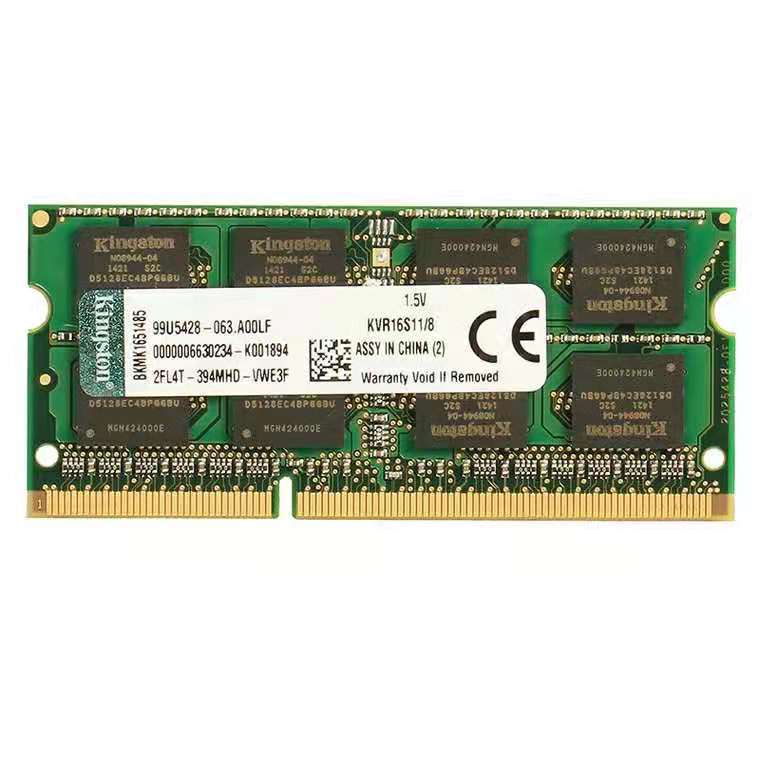
How much RAM do you need?
- 4GB: The bare minimum for basic tasks such as light web browsing, email and documents. Windows 11 itself lists 4GB as its minimum.
- 8GB: A comfortable level for everyday use, with a handful of browser tabs, office apps and video streaming open together.
- 16GB: A good choice for gaming, heavy multitasking, photo editing and students or professionals who keep many apps open.
- 32GB or more: For video editing, 3D work, running virtual machines and other heavy workloads.
How to check if you are running out of RAM
On Windows, press Ctrl + Shift + Esc to open Task Manager, then open the Performance tab and click Memory. If your usage regularly sits near the top while you work, more RAM will help.
What to check before you buy
- Memory type: Different generations of RAM, such as DDR3 and DDR4, are not interchangeable. Check what your motherboard or laptop supports.
- Size and format: Laptops use smaller modules (SO-DIMM), while desktops use full-size modules (DIMM).
- Speed: Match the speed in MHz to what your system supports. A faster module will usually run at the speed your system allows.
- Maximum capacity: Your device has a limit on how much RAM it can hold in total. Check your manual or the manufacturer's website.
- Matching pairs: Using two identical modules often performs better than one large module on many desktops.
A cheaper boost than a new computer
For many older computers, adding RAM is one of the lowest-cost upgrades available. Pairing it with a faster SSD makes the biggest difference to how quickly your machine starts and runs.
Browse our memory RAM modules and compare the capacity and speed options on the listing against what your computer supports.
New here? Use code WELCOME10 at checkout for 10% off your first order.